AKB Arlene
Module Photogallery
Joomla 5.4.x - 6.x
Showcase your photography with AKB Arlene, a flexible Joomla gallery module with multiple layouts and lightbox viewing. Select images individually or load them from a folder, choose from grid, mosaic, justified, masonry or scrolling presentations, customise responsive columns and captions, and add introductory or closing content for portfolios, events and visual stories.
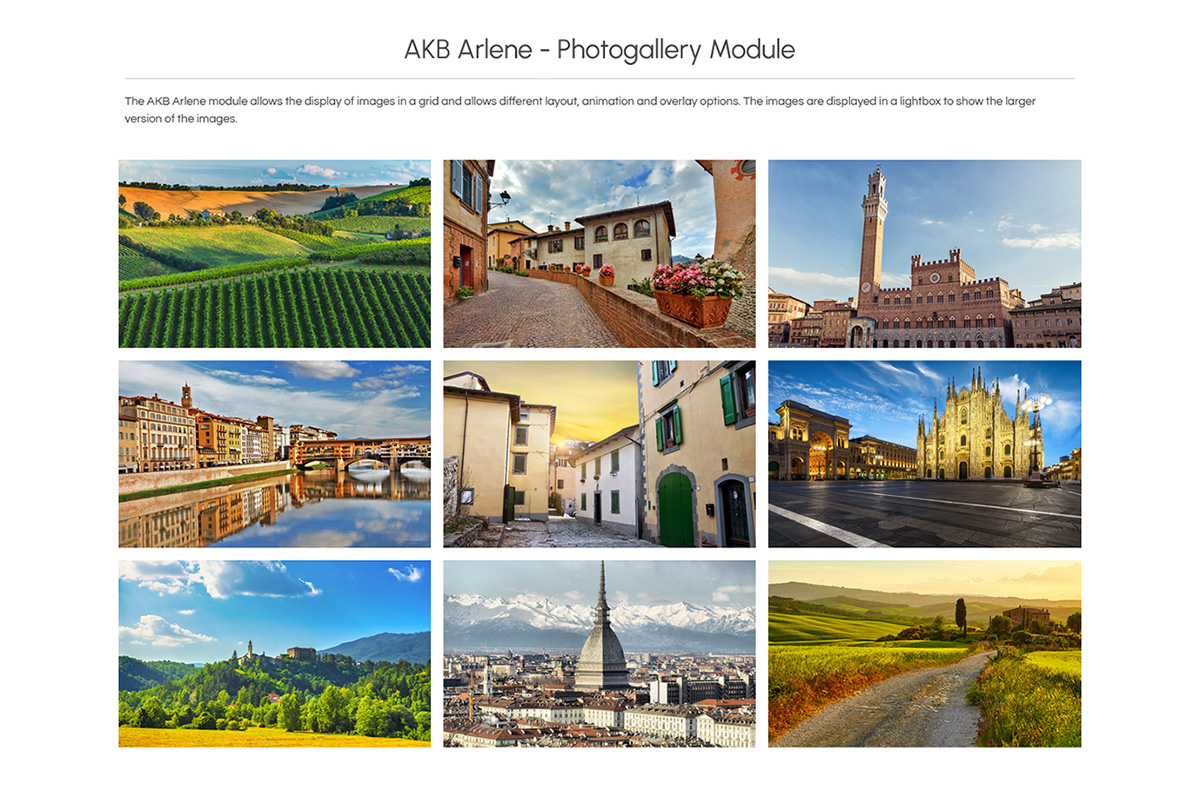
AKB Arlene turns your images into flexible photo galleries that visitors can browse and open in a lightbox. Use it to present completed projects, event photography, products, locations or the spaces and experiences behind your business.
Choose between two ways to create your gallery. Folder mode automatically loads images from a selected directory within Joomla’s images folder, with alphabetical or file-date ordering. Selected photos mode lets you choose individual images and provide a title, description and alternative text for each one.
Arlene offers several ways to arrange your photographs. Use a traditional grid, create a more dynamic mosaic, preserve image proportions with justified rows or masonry, or display the gallery as a horizontal scrolling collection. Column settings can be configured independently for desktop, tablet and phone where applicable.
Four caption effects let you choose how titles and descriptions interact with the photographs, from overlays and zoom effects to captions displayed below the image. Colours, spacing, corners and shadows can all be adjusted to match the surrounding design.
With AKB Arlene, you can:
- Choose your image source: automatically load photographs from a folder or create a manual selection of individual images.
- Choose the gallery arrangement: display images as a grid, mosaic, justified rows, masonry layout or horizontal scrolling gallery.
- Configure responsive columns: set the number of visible columns independently for desktop, tablet and phone.
- Control image spacing: adjust the gap between photographs, including adjoining image layouts with no spacing.
- Choose a caption effect: use four different presentation styles for titles and descriptions.
- Preserve or standardize image proportions: keep original proportions or use a uniform image height where supported.
- Set folder image ordering: sort photographs alphabetically or by modification date, in ascending or descending order.
- Customize the gallery appearance: configure overlay colours, text colours, rounded corners, shadows and responsive caption spacing.
- Open photographs in a lightbox: let visitors browse larger versions of the images without leaving the page.
- Add introductory and closing content: place formatted content above and below the gallery, with optional backgrounds, hover colours, responsive padding, rounded corners and shadows.
- Fine-tune the presentation: add custom CSS when additional styling is required.
From a simple image grid to a masonry portfolio, mosaic presentation or swipeable photo collection, Arlene provides a flexible way to present photography while keeping the gallery integrated with the rest of your Joomla content.