
Junostarpro Docs
Utility Panel
The Utility panel allows you to quickly import and export all template settings for JunostarPro. This feature is designed to make it easy to back up your settings, clone configurations between different sites, or quickly restore a previous version of your configuration.
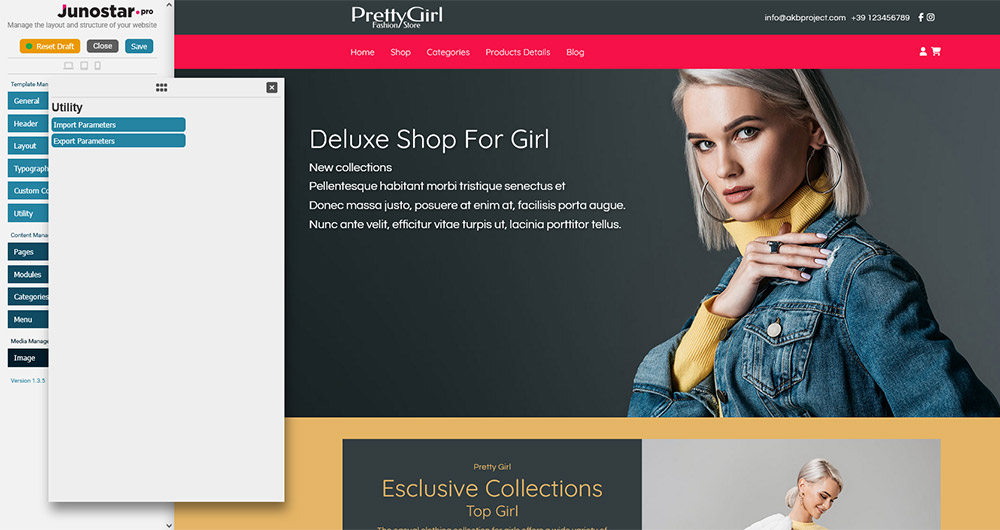
Available Functions
Import Parameters:
Lets you upload a configuration file (in JSON format) previously exported from JunostarPro.
You can instantly restore all template settings - useful when moving your site, updating a demo, or starting from a pre-made setup.
Export Parameters:
Generates and downloads a JSON file containing all current template settings.
This is the simplest way to create a backup of your configuration, or to copy settings to another Joomla site with JunostarPro installed.
How to Use the Utility Panel
- To export: Click “Export Parameters” and save the JSON file to your computer.
- To import: Click “Import Parameters,” select the JSON file from your computer, and confirm the operation.
All settings will be immediately updated according to the imported file.
Warning: Importing will overwrite all current template settings.
Benefits
Quick backup of configurations with no external plugins. Fast migration between test and production sites.
Safety: you can always restore a working configuration if needed.
The Utility panel gives you simple and safe tools for saving and restoring your template configurations, with maximum flexibility.