
Junostarpro Docs
Getting Started
This is the official documentation for JunostarPro on Joomla 5.
Follow these steps to correctly install the JunostarPro plugin and one of the compatible AKB templates, and to access and manage the administration interface.
System Requirements
Joomla: version 5.0 or higher
PHP: version 8.0 or higher
Note: JunostarPro is NOT compatible with Joomla 3.x or 4.x.
Installing JunostarPro
For correct operation, you must install both the JunostarPro plugin and one of the compatible AKB templates.
1. Download the ZIP packages from the download section:
• JunostarPro system plugin
• Compatible AKB template (e.g., akb_domusrealestate)
2. Install via Joomla:
a. Go to Extensions → Install
b. Upload and install the JunostarPro plugin first, then the template
c. Enable the plugin from Extensions → Plugins → System - JunostarPro
d. Go to Appearance → Templates → Styles and select the installed template
e. Set the template as default if needed
Plugin status in template management
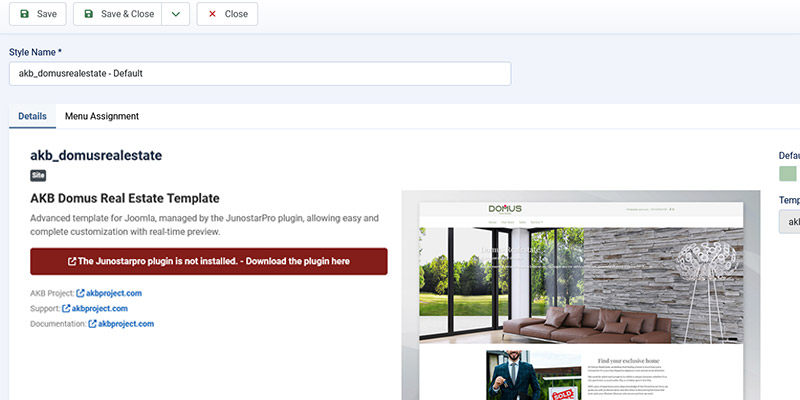
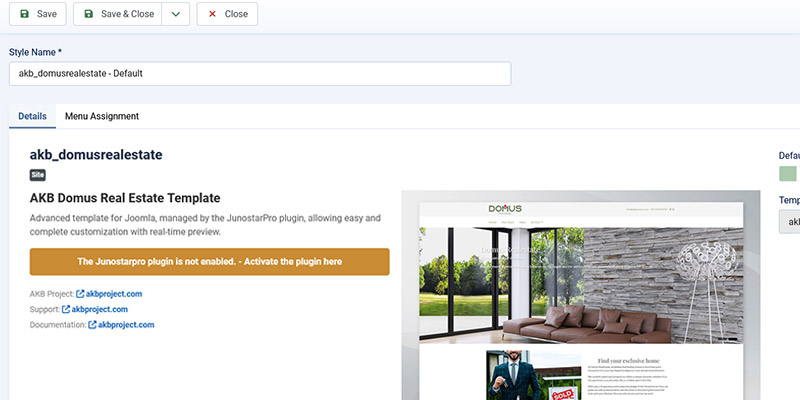
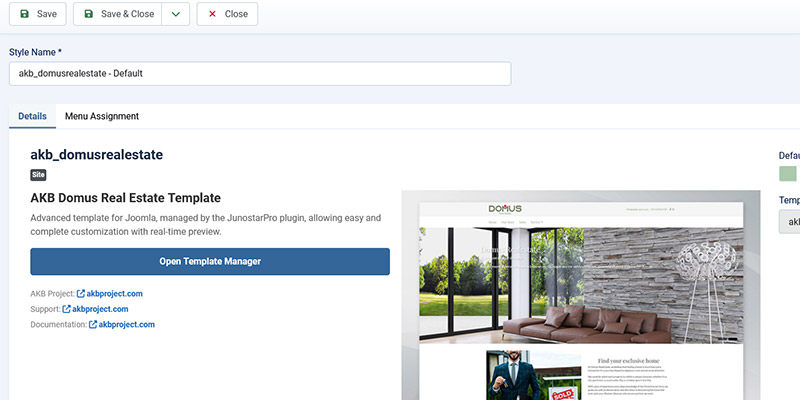
On the template management page, you can see the activation status of the JunostarPro plugin:
- Plugin not installed: a red warning prompts you to install the plugin.
- Plugin not enabled: an orange warning prompts you to enable the plugin (with direct link).
- Plugin enabled: the blue “Open Template Manager” button is displayed.
Advanced administration interface
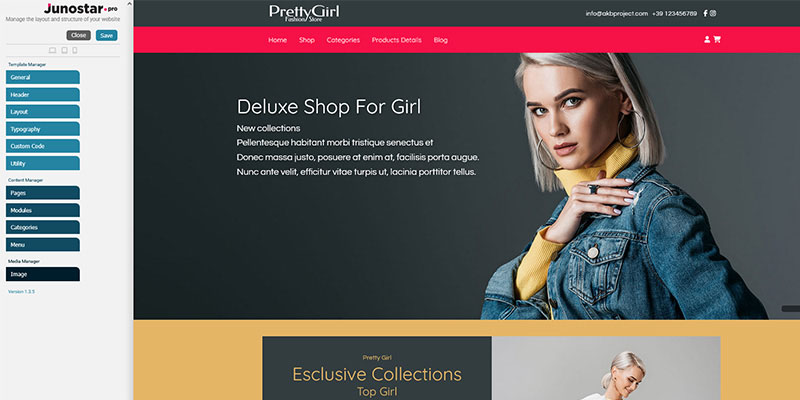
After enabling the plugin and clicking “Open Template Manager”, the advanced administration interface of JunostarPro opens, divided into three main sections:
Template Management
Customize header, layout, typography, utility, custom code
Content Management
Configure pages, modules, categories, menu
Media Management
Upload and select images
Quickstart package and additional tools
In addition to the JunostarPro plugin and various templates, the following are also provided:
Quickstart
A complete package that includes Joomla 5 already configured with JunostarPro and the AKB template (e.g., Domus Real Estate). Recommended for quickly creating an exact copy of the demo site.
Demo configuration files
If you don’t use the Quickstart, you can import a pre-made configuration file to quickly replicate the structure and style of the demo site (e.g., Domus Real Estate), without having to configure everything manually.